COMMON HELP QUESTIONS
Forgot Password?
Reset here
1. Submitting Your Order
Once you have finished shopping, click on the Shopping Cart in the upper right-hand corner.
- Review your items and quantities.
- Use the product 'note' field to add cutting instructions, job #, purchase order #, general notes, etc.
- Add whole order notes at the bottom in the 'Order Notes' section.
- Click the 'NEXT' Button.
- Review and edit your Billing Address & Shipping Address.
- Click the 'NEXT' Button.
- Enter a purchase order number (does not have to be unique unless your organization requires). Many users use the order date in this field.
- Click the 'PLACE ORDER' button under Pay with PO.
- You will be directed a Thank You page. This will display a preview document indicating successful submission.
- You receive an email order confirmation if you chose this option in your account settings.
2. Saved Lists & Favorites
Create, purchase or edit personal or shared product shopping lists.
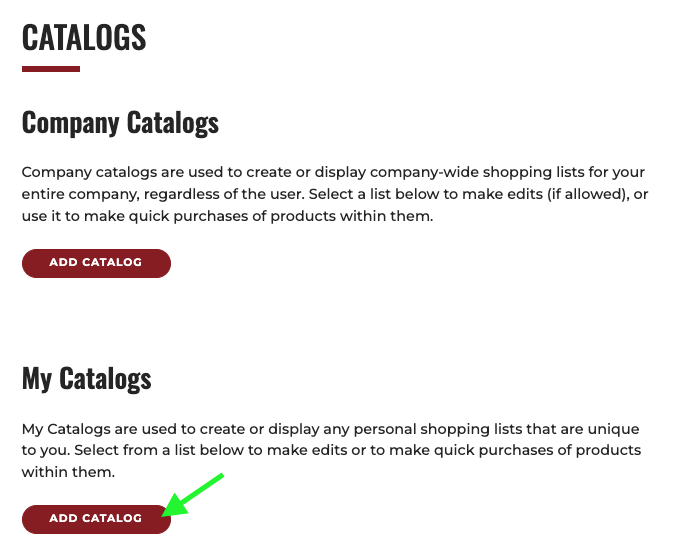
Sign into your Account, then click 'Catalogs'.
- Choose to create a new Company or Personal catalog by clicking 'ADD CATALOG'.
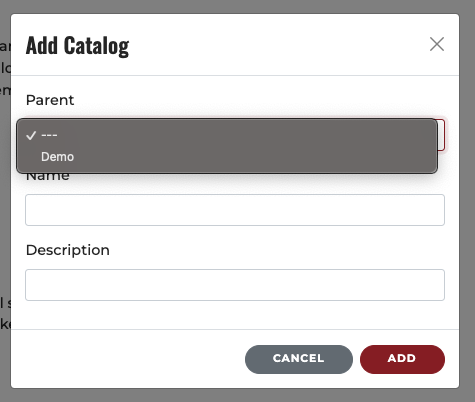
- Specify a Name and Description for your new list. You can create a sublist by choosing a previous list as a parent for this new list. Submit by clicking 'ADD'.
- You can add products to your list from any product list page by clicking 'ADD TO CATALOG' and selecting the desired list.
3. Change Ship-to or Delivery Address
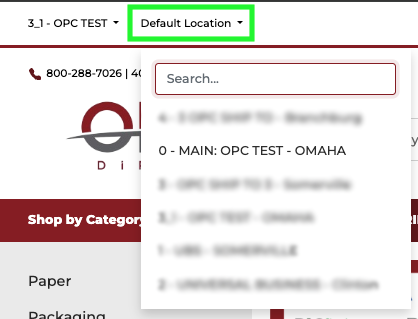
The quickest way to change the address you are currently ordering for is clicking ‘Default Location’ above the OPC logo. This will bring up your company’s list of available ship to addresses. (You must be signed into your account to view this option.)
4. Saving an Order in the Cart and Coming Back to it Later
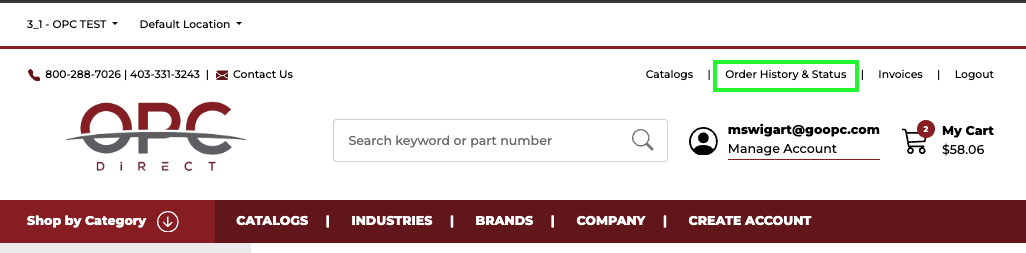
To access a 'saved' order, click ‘Order History & Status’ in the upper right corner.
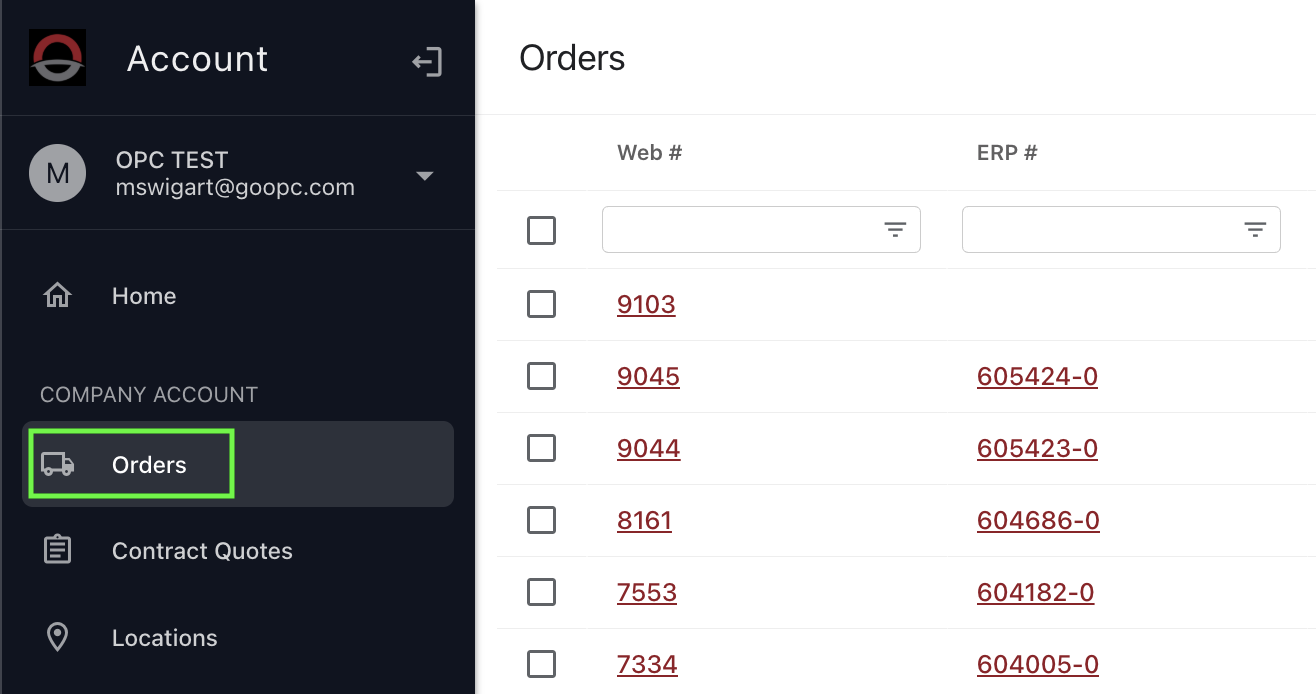
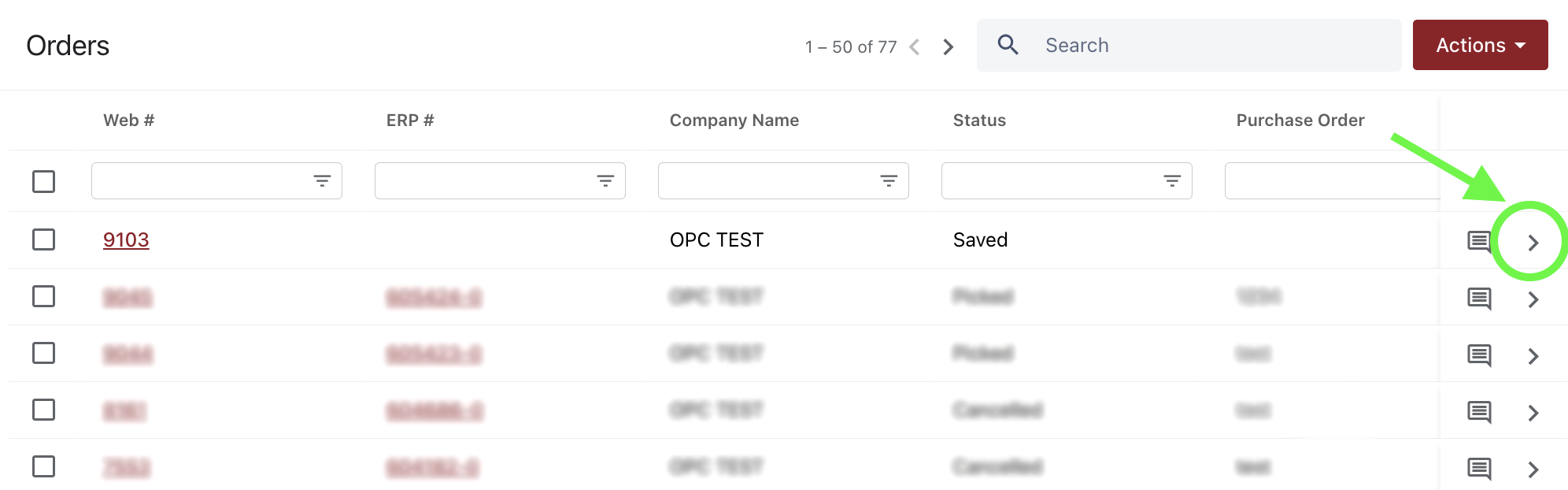
Navigate to 'Orders'. You should see that order at the top of the list.
Click on the arrow on the far right to view that order.
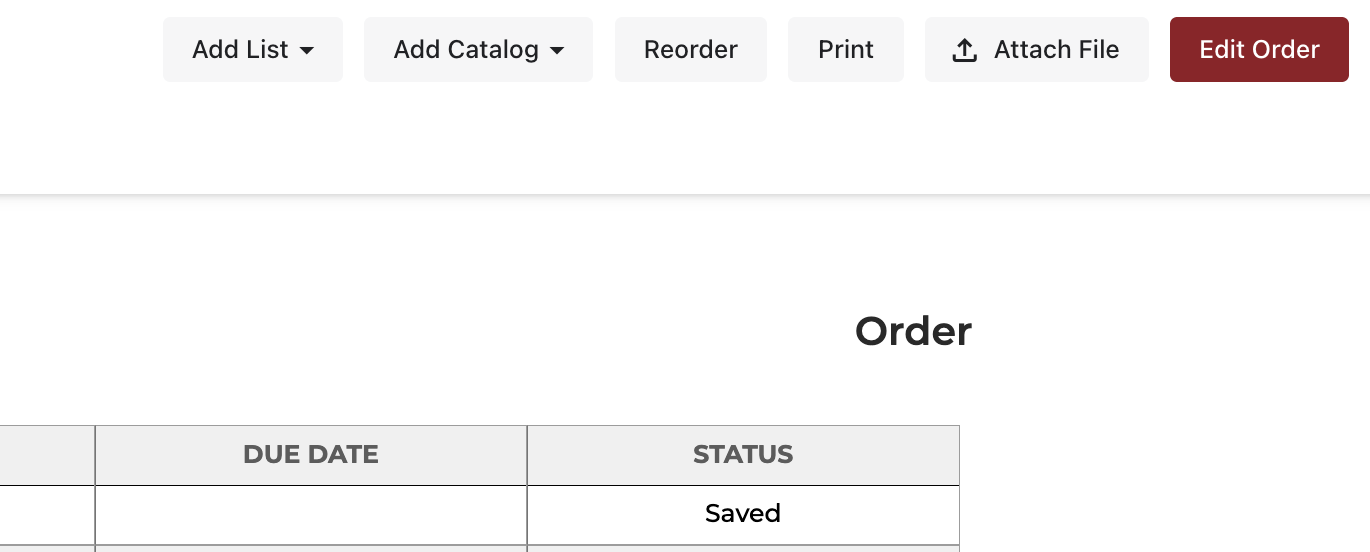
Once you are in the order details screen, you can click the red 'Edit Order' button to move the items back to the cart.